Status
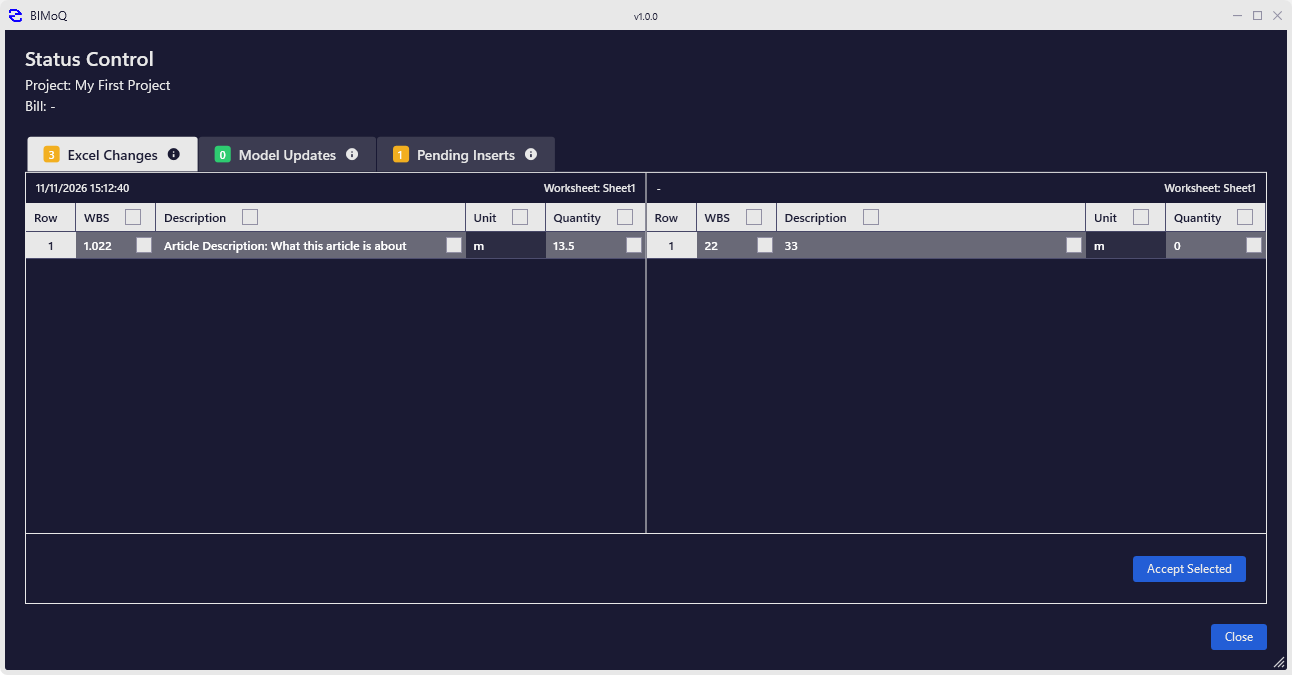
The Status window gives you an overview of the state of your BIMoQ project. It shows which parts of the project are up to date and which need your attention, so you can find and fix problems before they reach your Bill.
The window is organised into three tabs. The counter on each tab shows how many items it contains, so you can see at a glance where there is something to review.
BoQ Articles
Lists the Articles of your Bills along with their status. Use this tab to find Articles whose quantity may no longer match the model, for example after the model has changed, or Articles that have no Take-Off Sets yet.
Take-Off Models
Lists the models assigned to the project. Use this tab to check that each model is available and up to date before calculating quantities. See Assign Model for how models are added to a project.
BoQ Entries
Lists the entries of the Bill as they appear in Excel. Use this tab to find entries that are not linked to a BIMoQ Article, or whose quantity in Excel differs from the one calculated by BIMoQ.
Tip
Check the Status window before you publish or share a Bill, to make sure all quantities are up to date.