Downloads & Updates
Use your BIMoQ account to download available application releases.
Check your current version
- Open Excel Application from the Windows Start.
- Navigate to BIMoQ Tab.
- Sign in using credentials
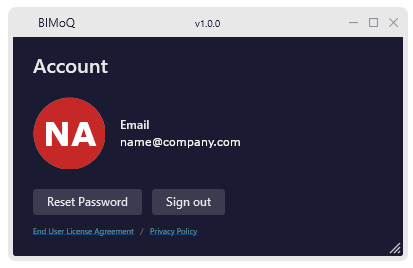
- Click at the Account Window
- Check the BIMoQ version at the top of the window.
Example:
Download latest version
- Open Downloads.
- Sign in to your BIMoQ account.
- Check the installed version.
- Download the latest version.
- Close BIMoQ before running the installer.
Release notes
Before updating, review the Release Notes for new features, fixes, and known issues.